A working demo
See the crew's actual desk.
Real screens from a seeded demo account, not mockups, mid-way through an importer's month: five suppliers, a stack of orders at every stage, and a queue with decisions worth making. Five stops through the app, in order.
1Dashboard
One page, three questions, above the fold.
What needs you. What the crew did since yesterday. Are the books square. The queue holds real documents (a bill waiting on your stamp, a drafted reply, a journal entry), never a card grid. Underneath it, the day's log: a plain, timestamped account of every routine that ran.
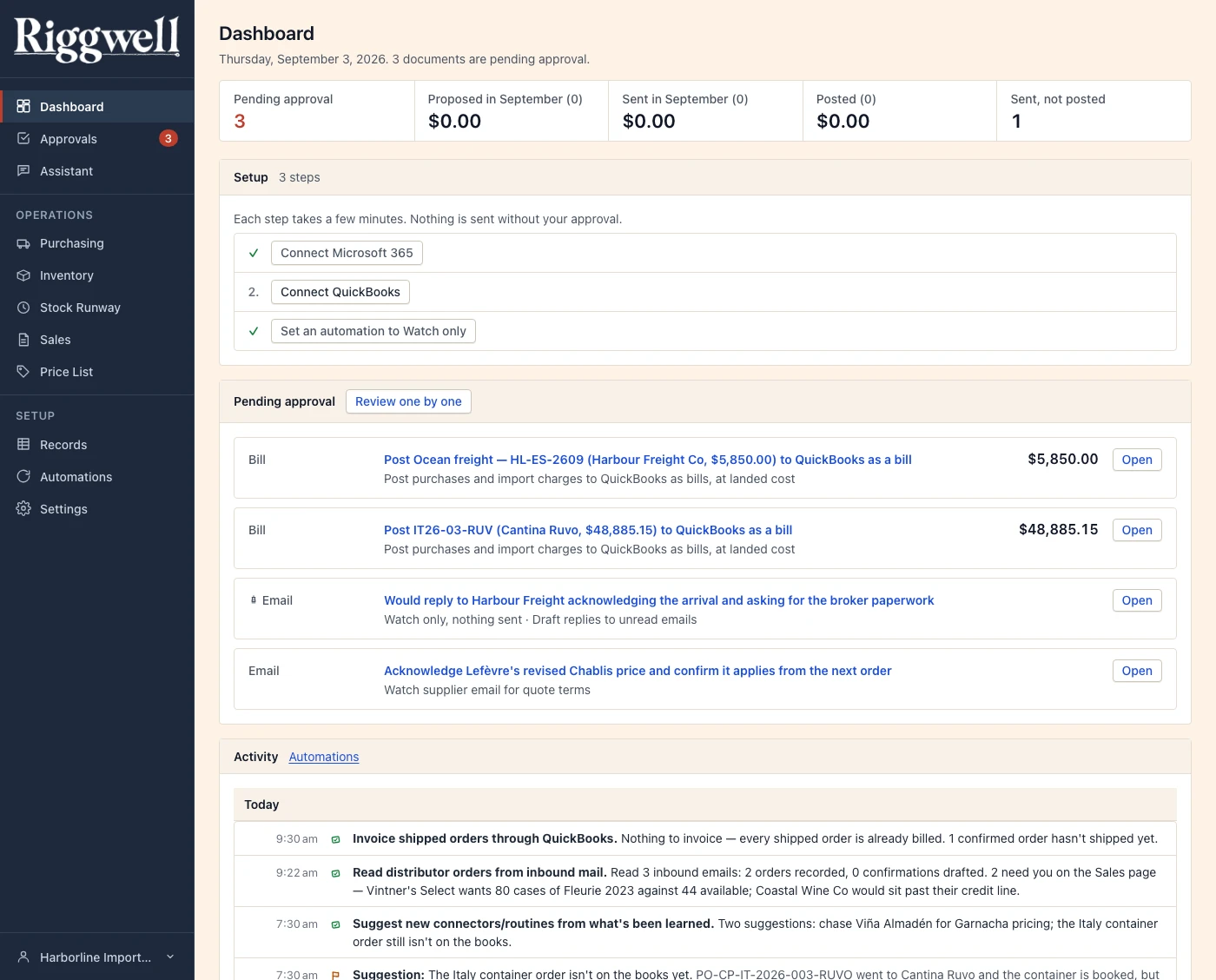
Dashboard · the composed desk
2Approvals
Every fact says where it came from.
Open a document from the queue and the approval card fills the screen: one stamp, one decision, keyboardable for the days there are twenty-five. Who's paid, what invoice, what it's for, and the full debit and credit line it will post, laid out before you approve or reject it.
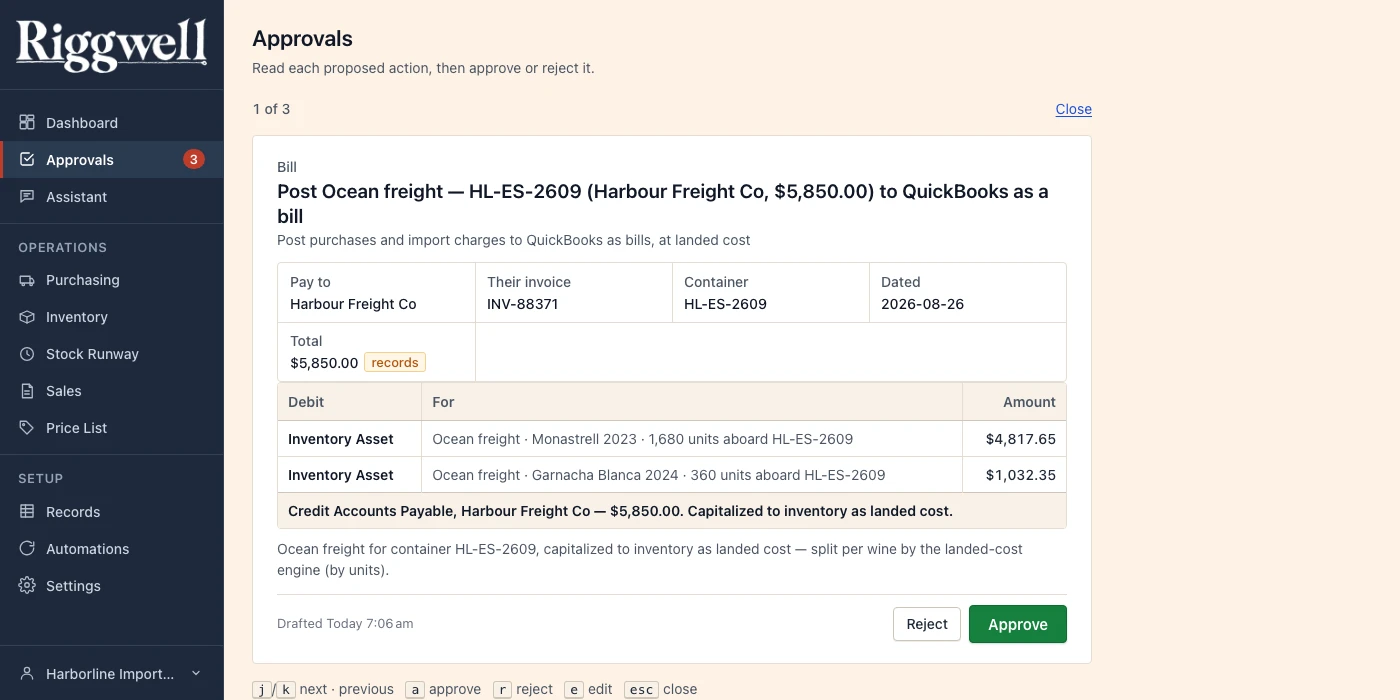
Approvals · one document, one stamp
3Purchasing
Every order's whole life, on one line.
The purchase-order register shows every order at a glance: product, supplier, quantity, total, where it stands. Open a row and its full trail unfolds: order proposed, sent to supplier, bill proposed, posted. Each station is timestamped, each one a click from its source.
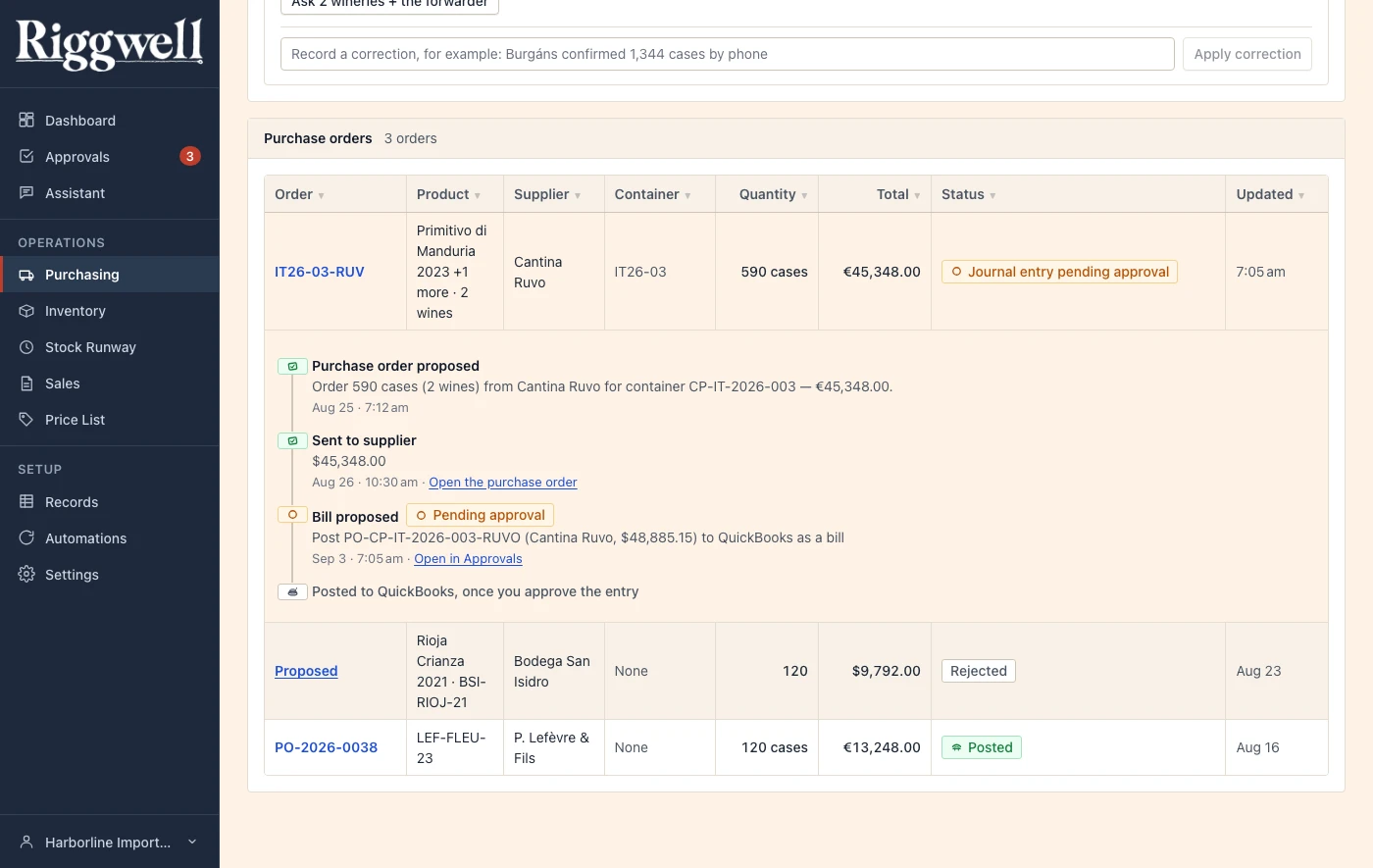
Purchasing · the trail behind one line
4Records
Everything the crew knows, and where it learned it.
Suppliers, items, quotes, purchase orders, journal entries, inbound mail: one typeset ledger, every row exportable. Open a record and its provenance sits right there (which email, which sync taught the crew this fact) beside the orders and quotes it's tied to.
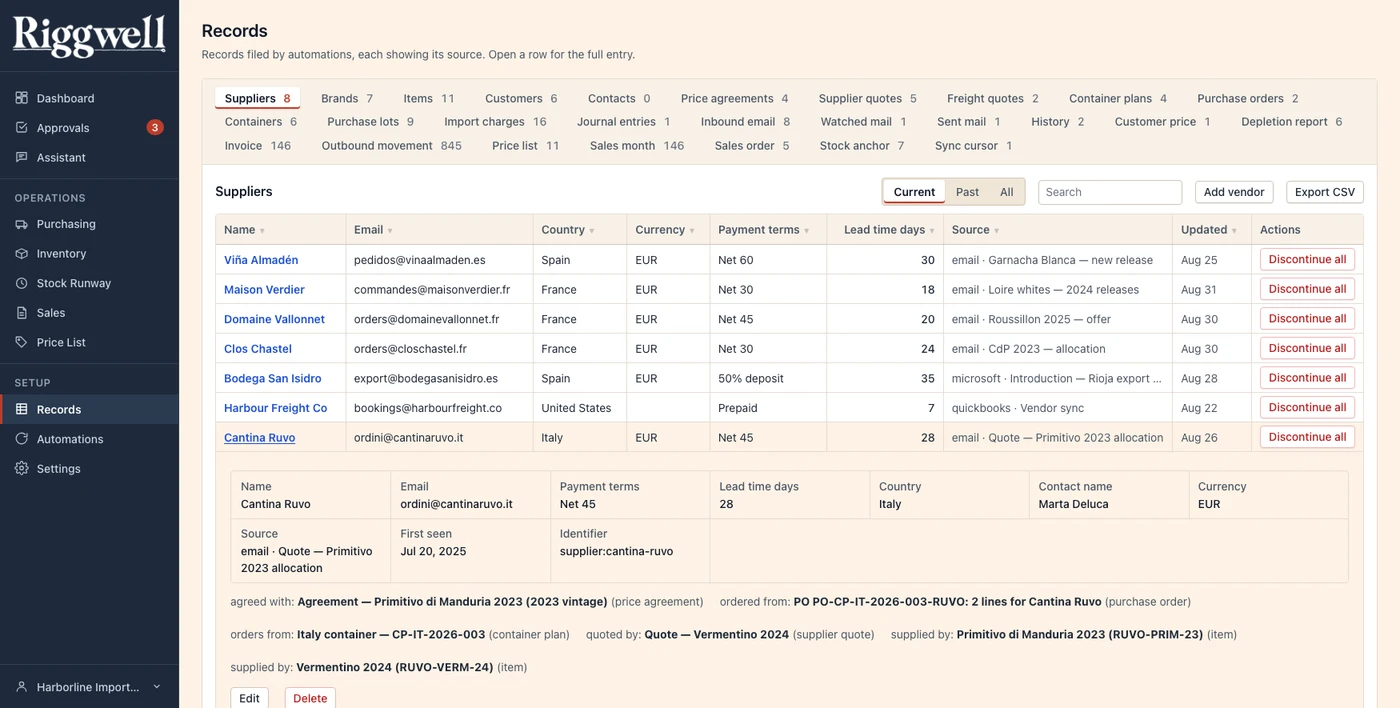
Records · the ship's log, opened
5Automations
Trust, granted one routine at a time.
Every routine starts on Watch only: it changes nothing, only shows its work. Move it up to Ask first when you've seen enough, or all the way to Automatic once it's earned it; move it back down just as easily. Connections sit above the roster, one per crew member's own mailbox, tied like proper knots.
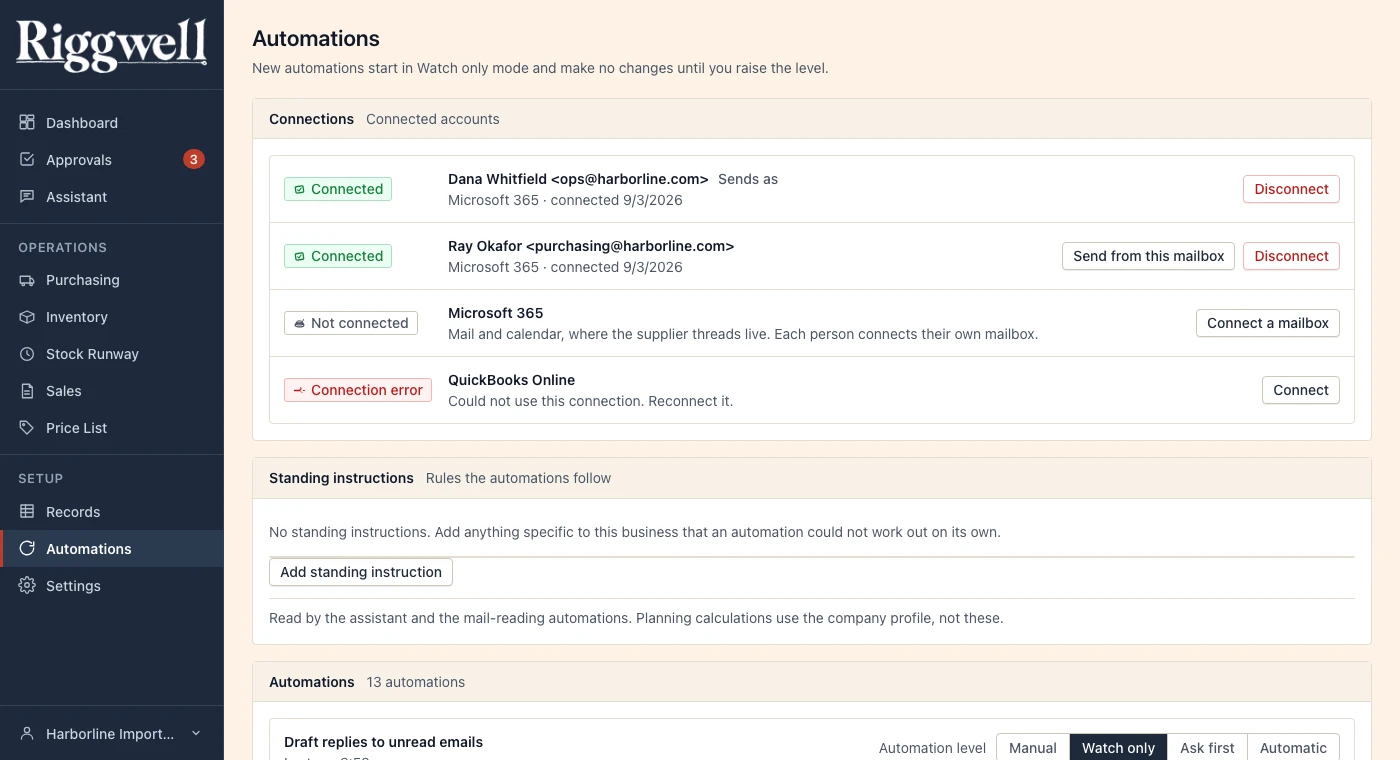
Automations · the trust ladder, per routine
Come aboard
This is the whole app, not a slide.
Every screen above is live, running the same code your account would run. If it looks like a business you recognize, the berths are open.
First to know when we cast off · no noise, ever
Have questions first? Read the manifest.